
Web app | Chaturbate channel
Method 1. Manual Setup
Step 1. Log in to your Chaturbate account.
Step 2. Click the “Broadcast Yourself” tab in the main menu.
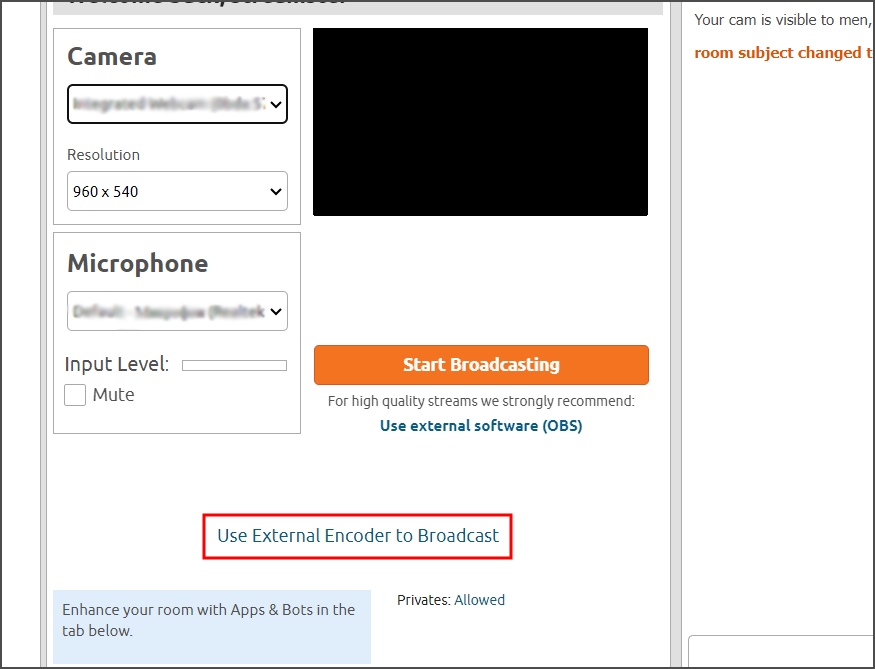
Step 3. Click the “Use External Encoder to Broadcast” link.
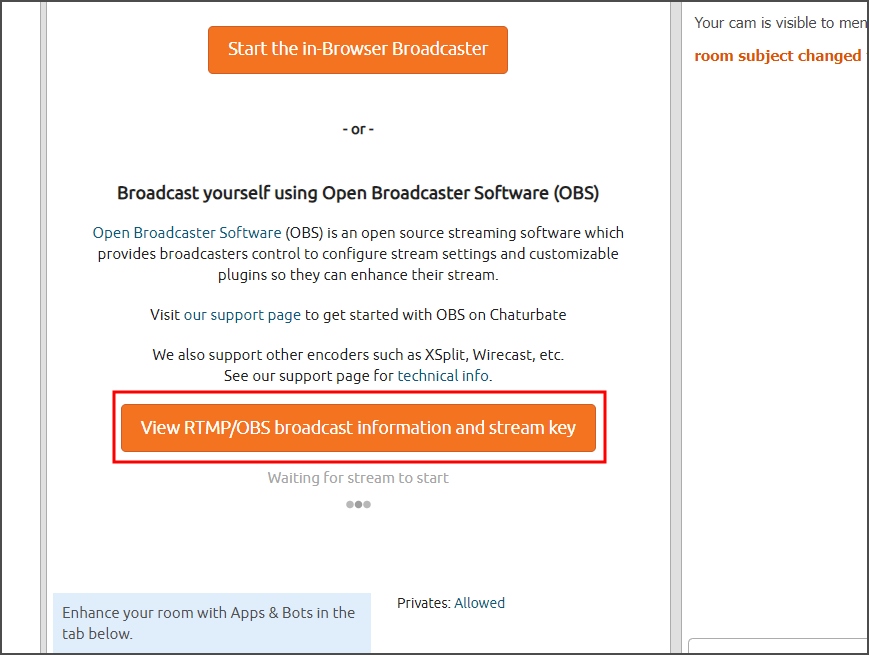
Step 4. Click the “View RTMP/OBS broadcast information and stream key” link.
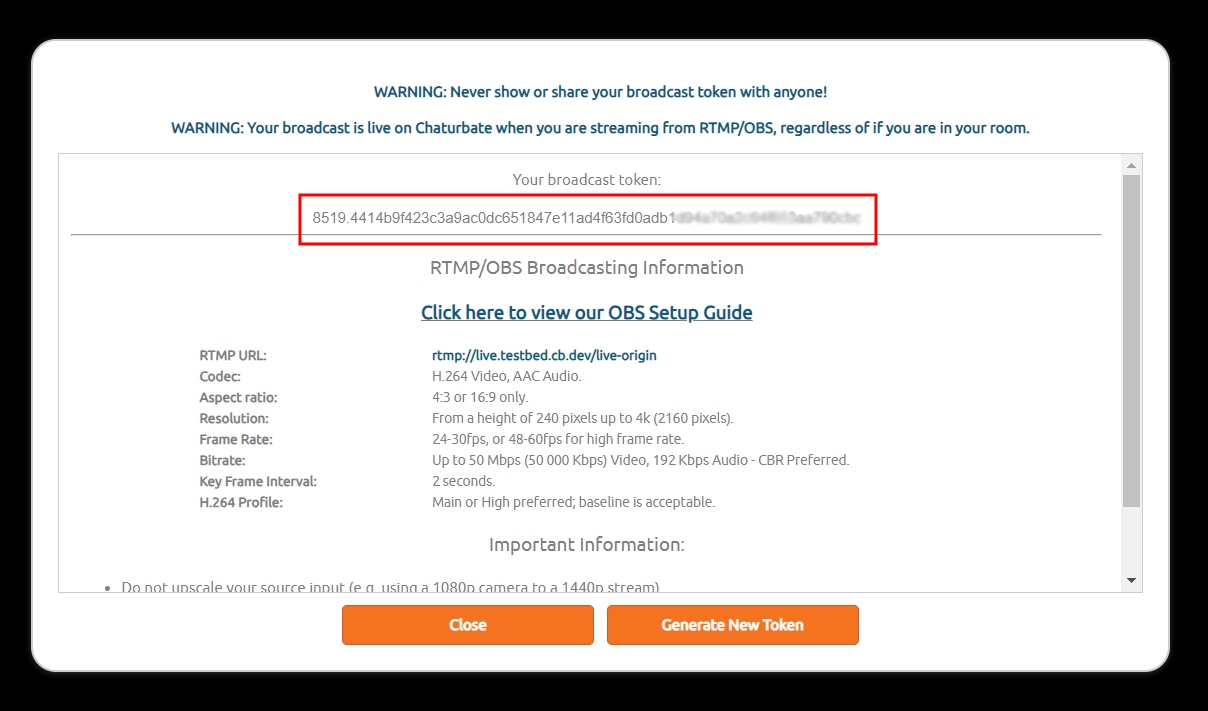
Step 5. Copy your broadcast token.
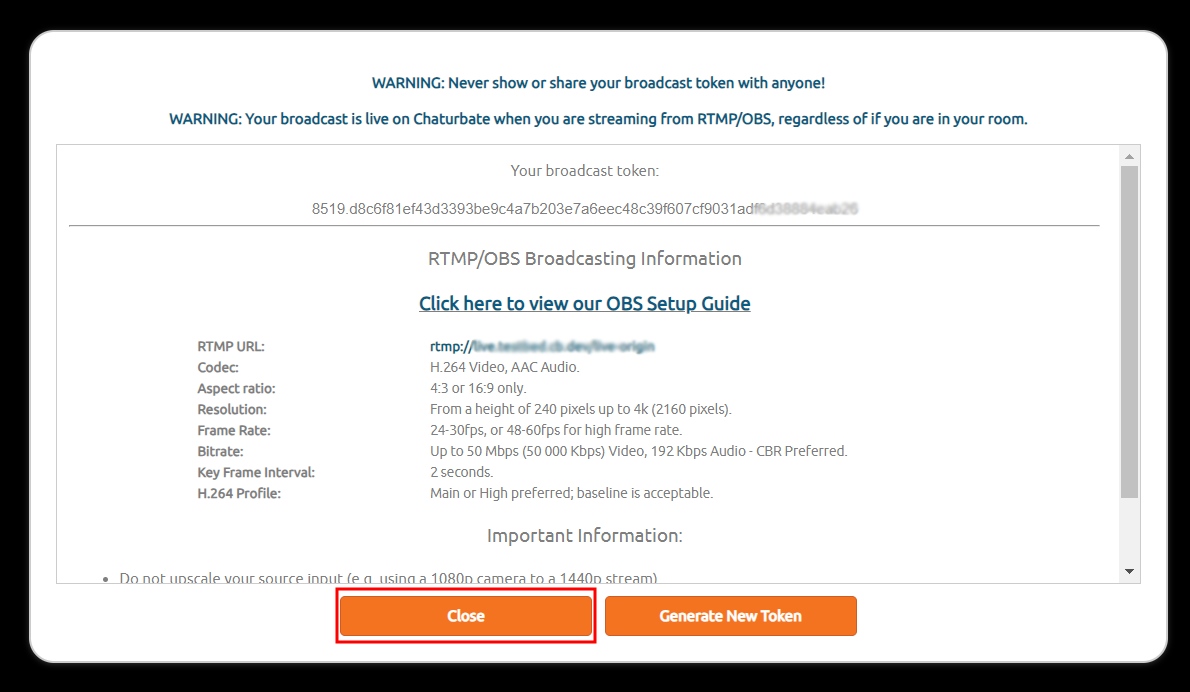
Step 6. Click the “Close” button.
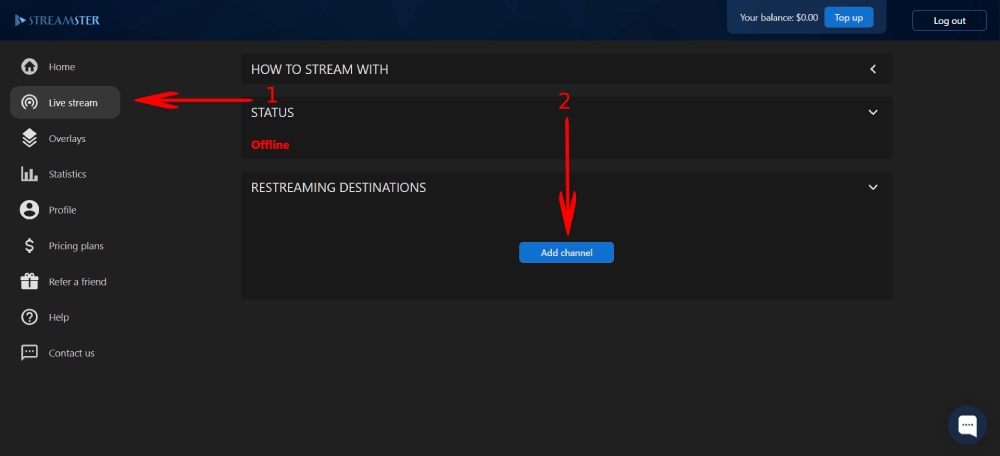
Step 7. In Streamster web app, open the “Live stream” screen (1) and click the “Add channel” button (2).
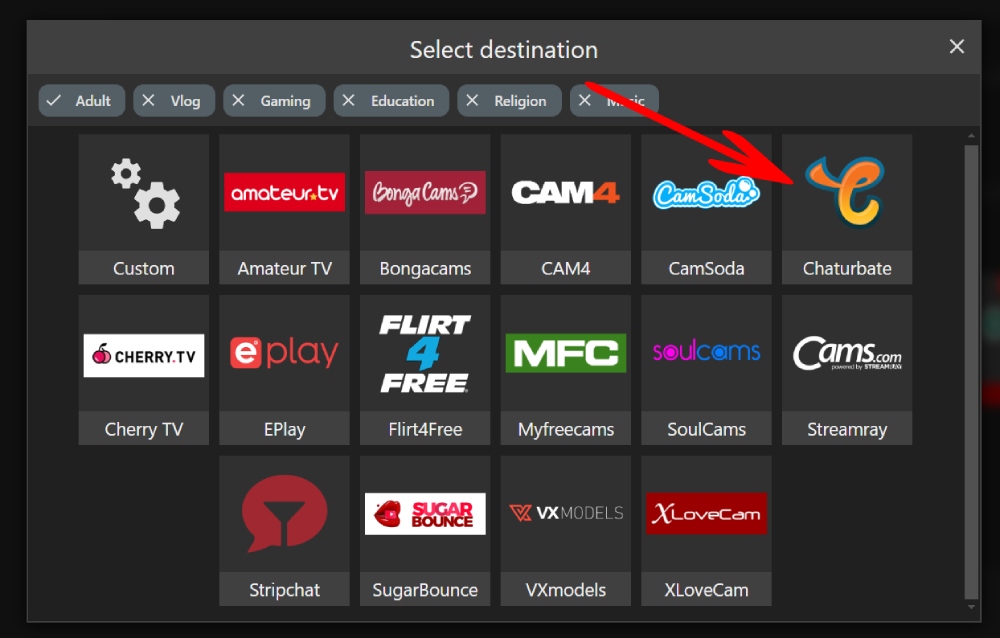
Step 8. Click on the “Chaturbate” logo.
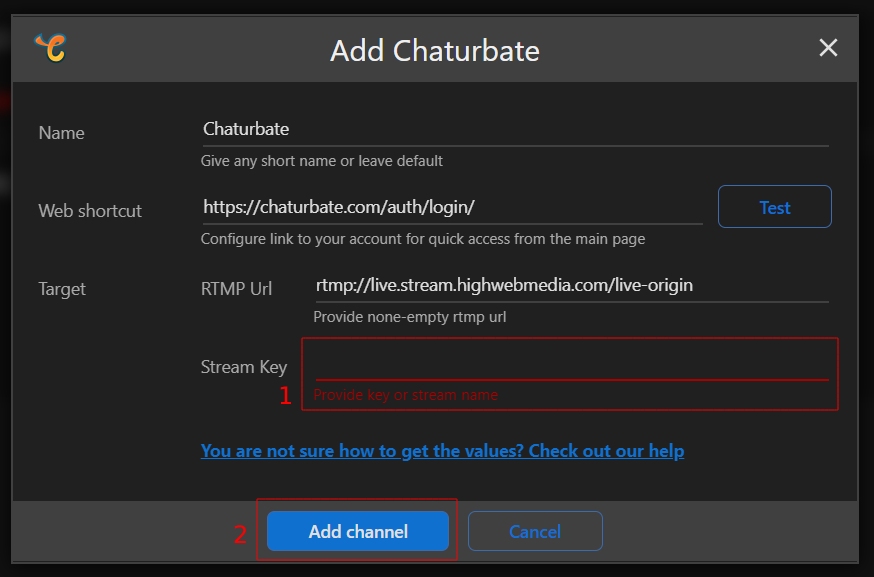
Step 9. Paste your Stream key (1) and click the “Add channel” button (2).
Step 10. Start your stream to Streamster server. Learn more.
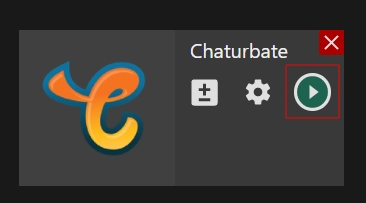
Step 11. Launch your live stream to Chaturbate.
Method 2. Platform authentication
This option will be available soon.