Web app | Telegram channel
Step 1. Open the Telegram desktop app on your computer.
Step 2. Open the group or channel you want to stream to.
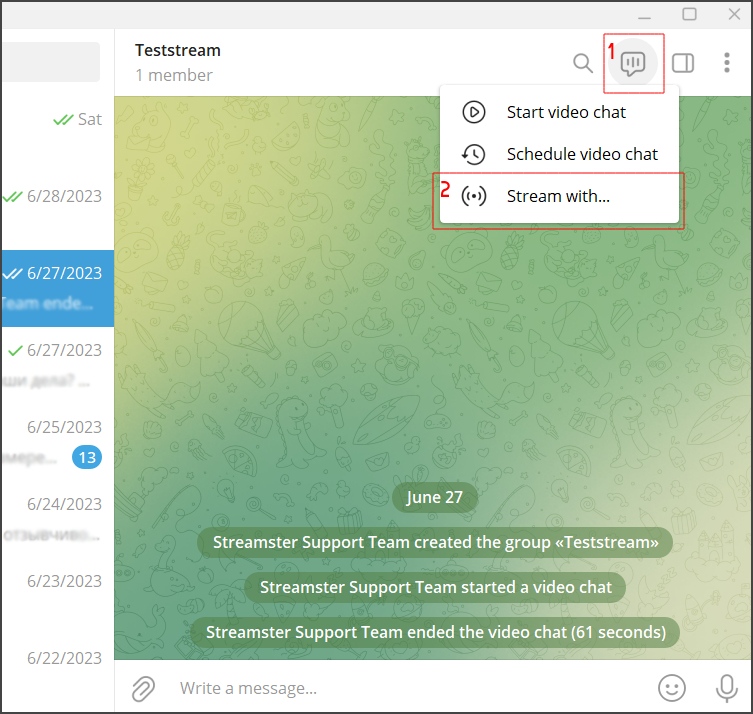
Step 3. Click the “Video” button (1) and choose the “Stream with” option (2).
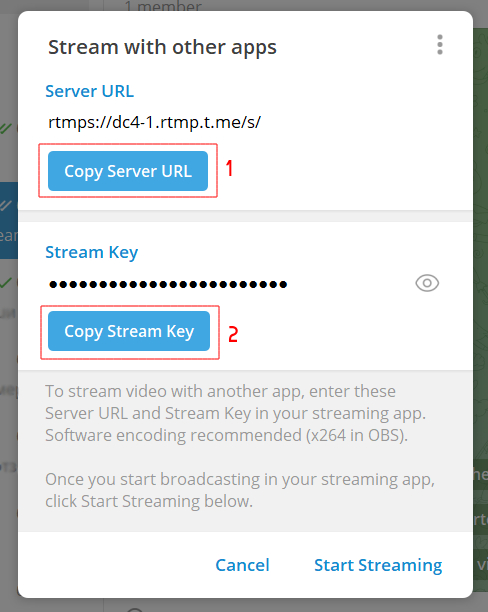
Step 4. Copy your “Server URL” (1) and “Stream key” (2) to the Streamster app (more details are below).
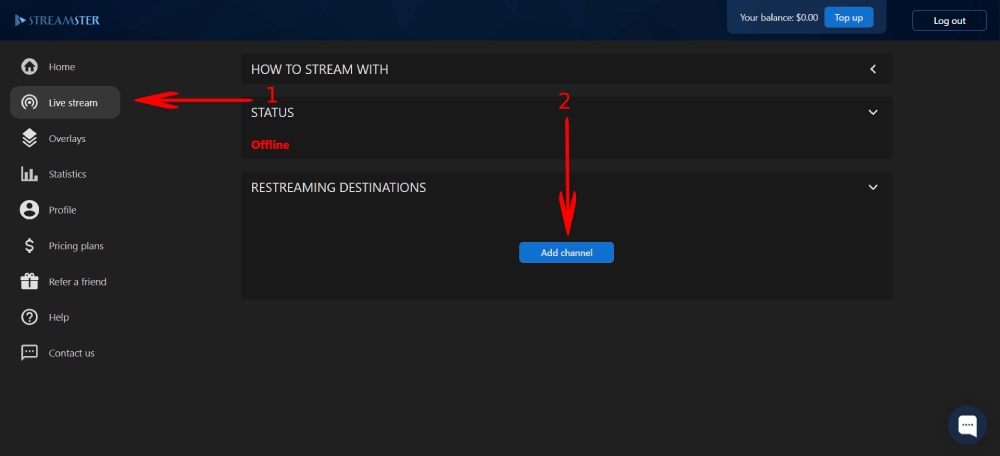
Step 5. In the Streamster web app, open the “Live stream” screen (1) and click the “Add channel” button (2).
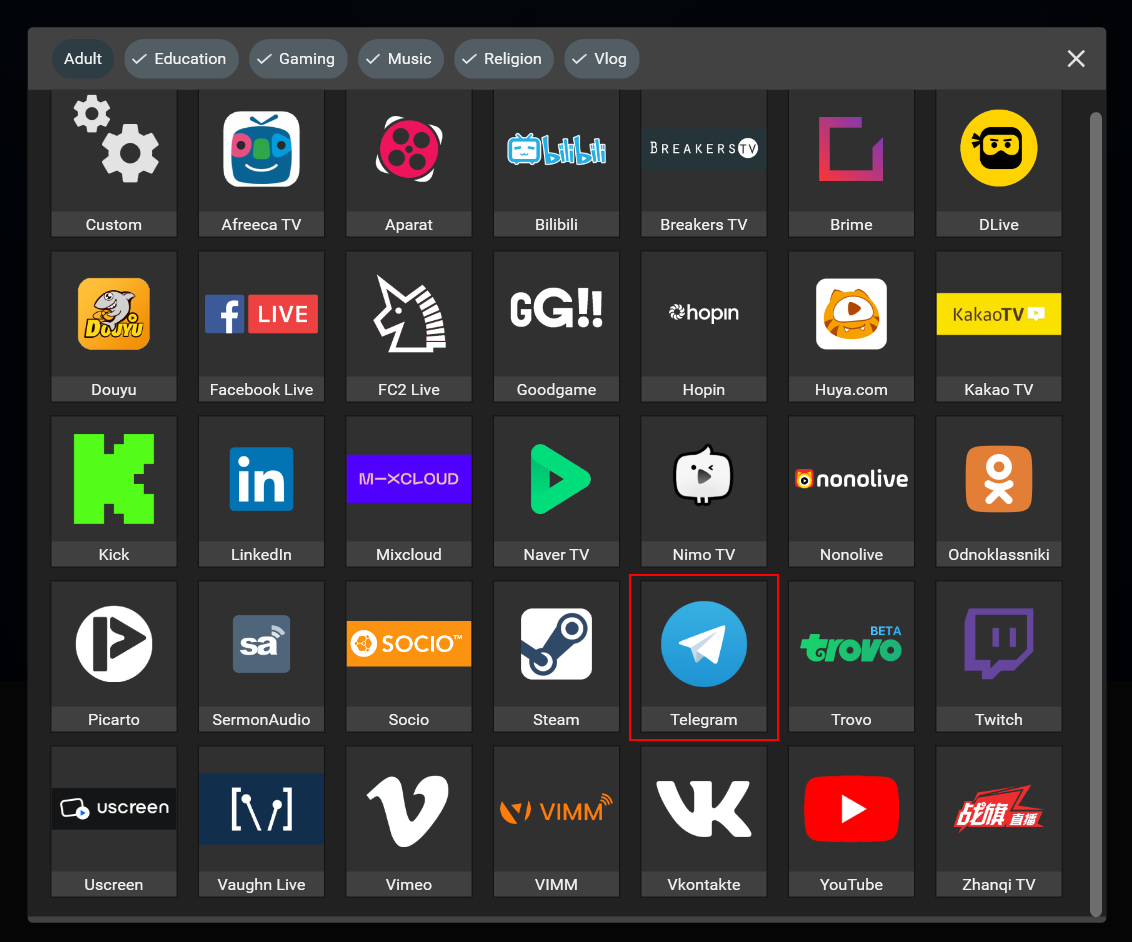
Step 6. Select the “Telegram” icon.
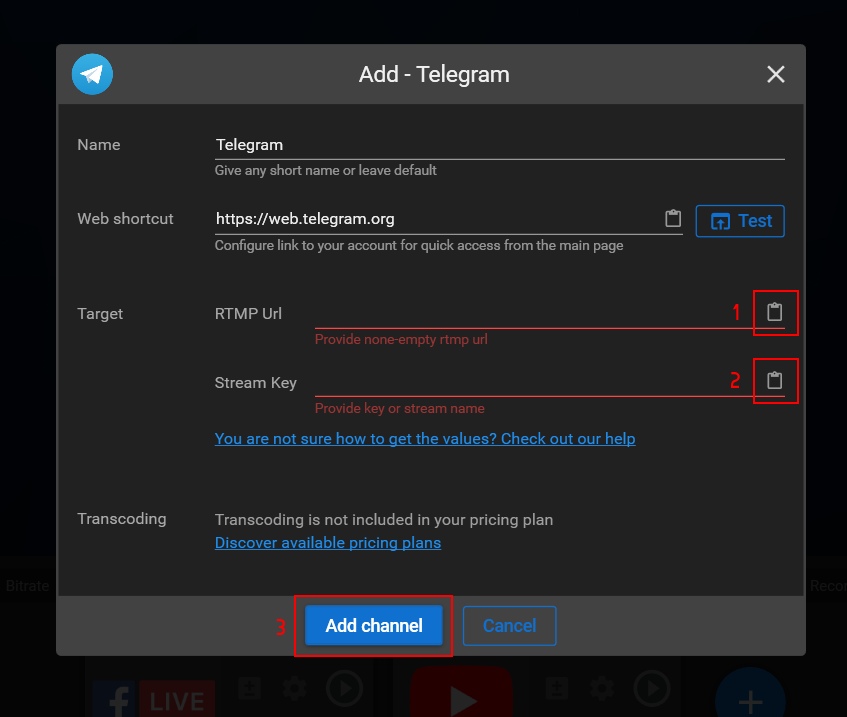
Step 7. Paste the Server URL (1) and Stream key (2) copied on step 4. Then click the “Add channel” button (3).
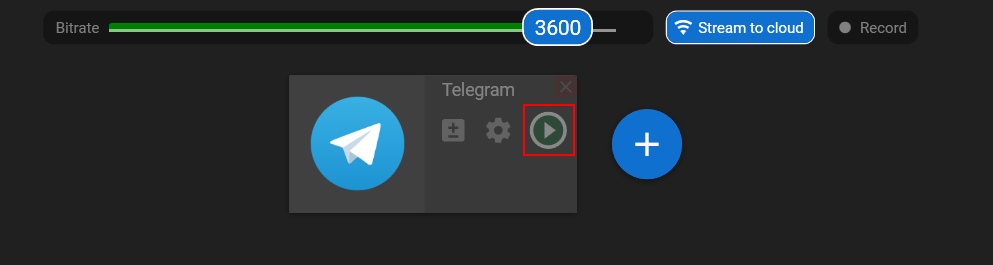
Step 8. Start your stream to Streamster server. Learn more.
Step 9. Launch the live stream on the platform.
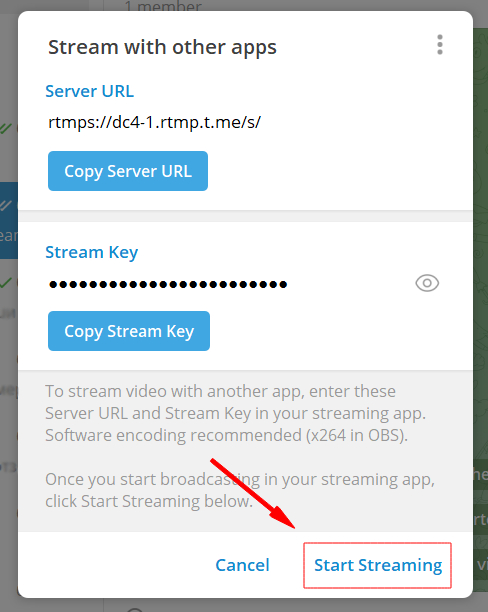
Step 10. In Telegram, click the “Start streaming” button.