








Roles: Administrator, Managers, Streamers
Sub-users in your business account may have the following roles:
Administrator
The Administrator is the account owner and has all account rights, including creating and deleting sub-users, billing, etc. Each business account has a single Administrator.
Manager
Manager sub-users can administrate, manage or moderate a streamer’s account according to the level of access provided by the administrator.
To create manager account, add a new sub-user and select a “Manager” plan in the Tariff/Role field.
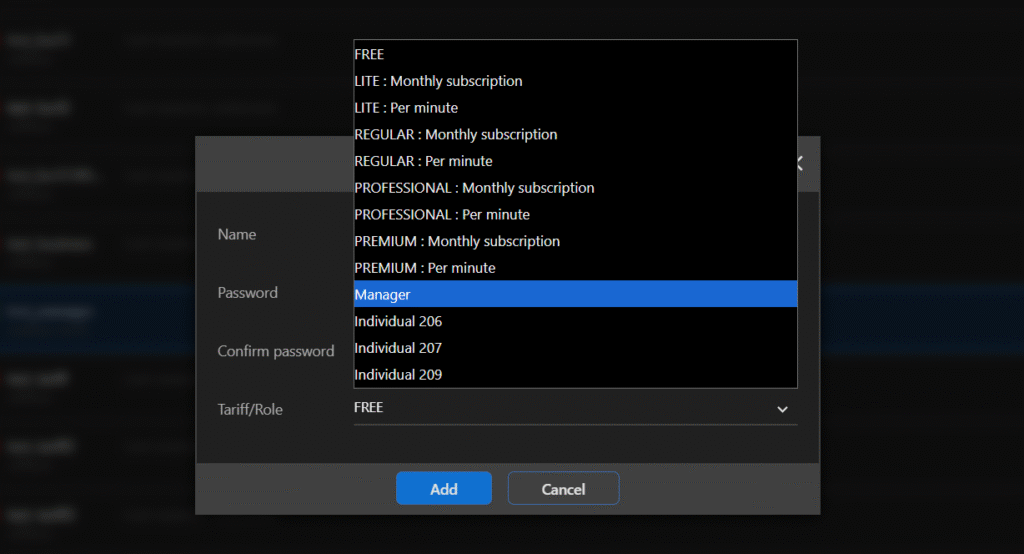
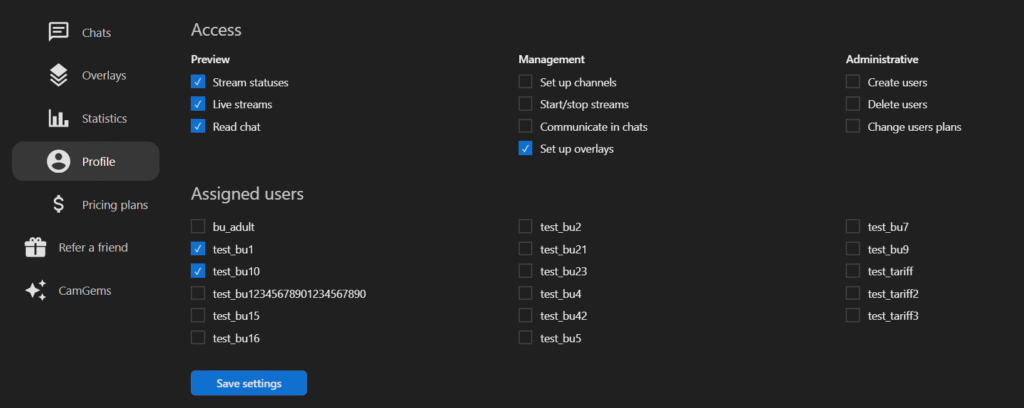
To edit Manager settings, open your dashboard, select the Manager user from the list, and click the “Profile” button.

Select the access the manager has and the streamers the manager can administer, according to the rights provided above.
Streamer
The streamer’s account has the available streaming and streaming-related features. Pricing plans and corresponding account limitations are for each streamer account separately. More details about streamer account creation can be found here.
