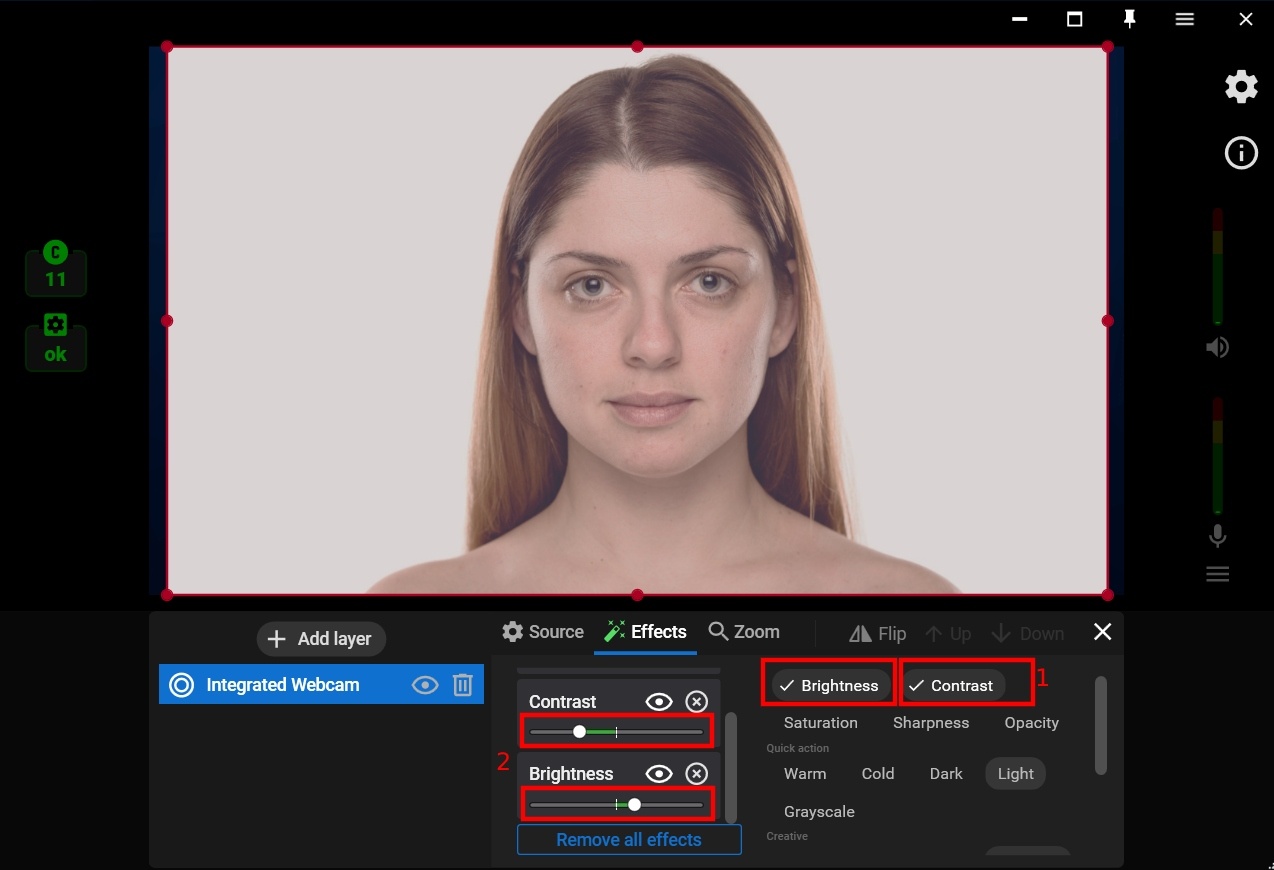
Making the Skin Smoother on a Video
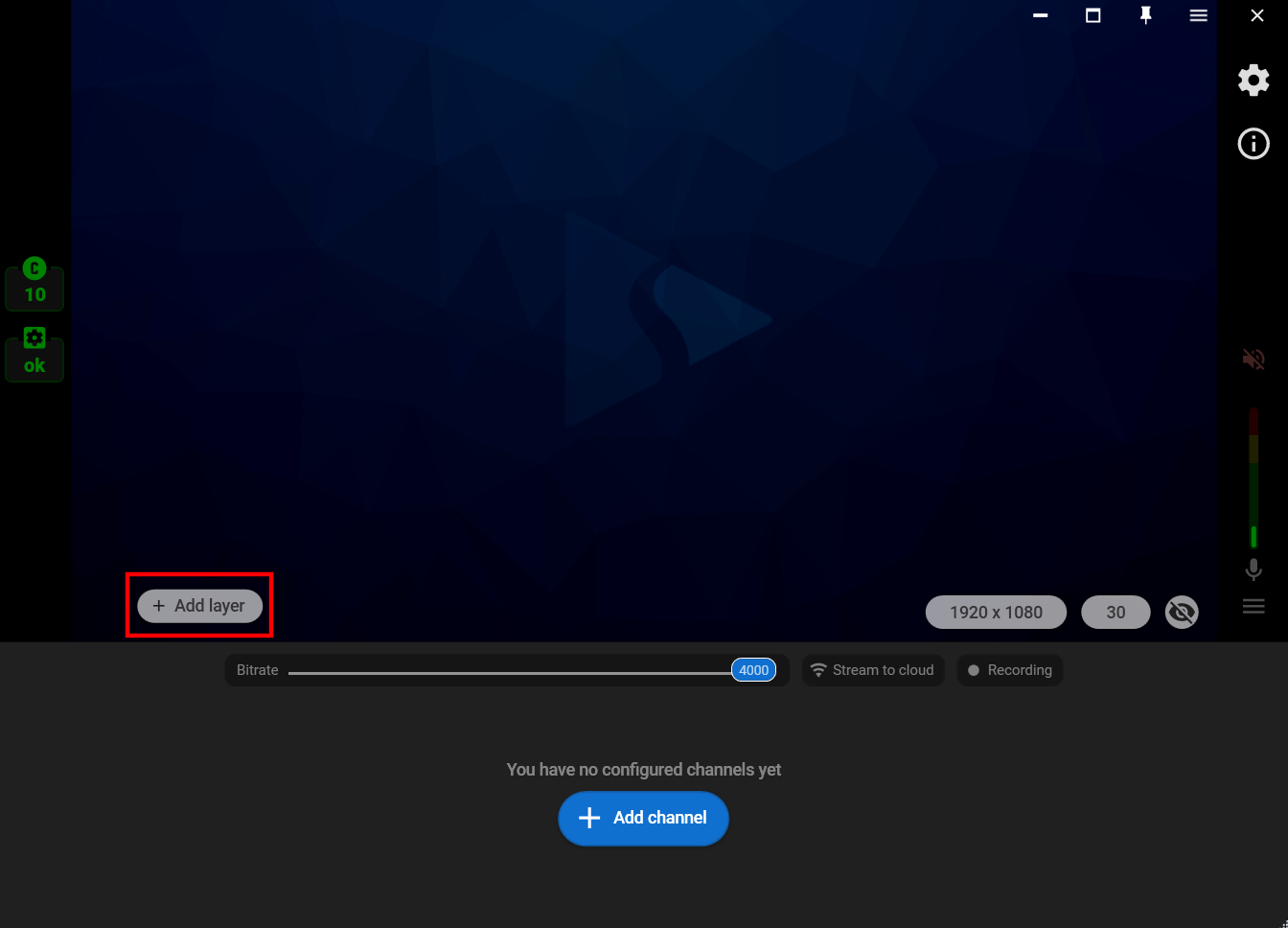
Step 1. Add the video source by clicking the “Add layer” button.
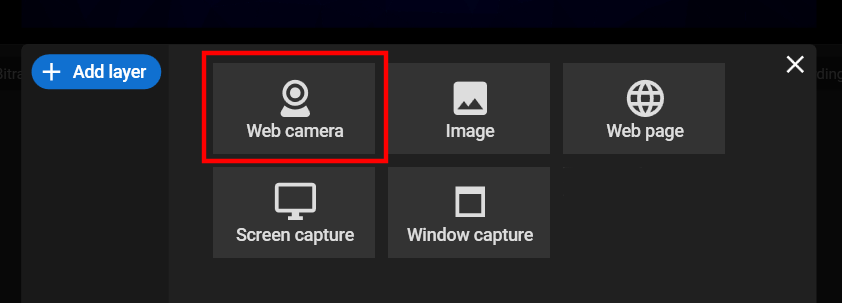
Step 2. Select the “Web camera” as your video source.
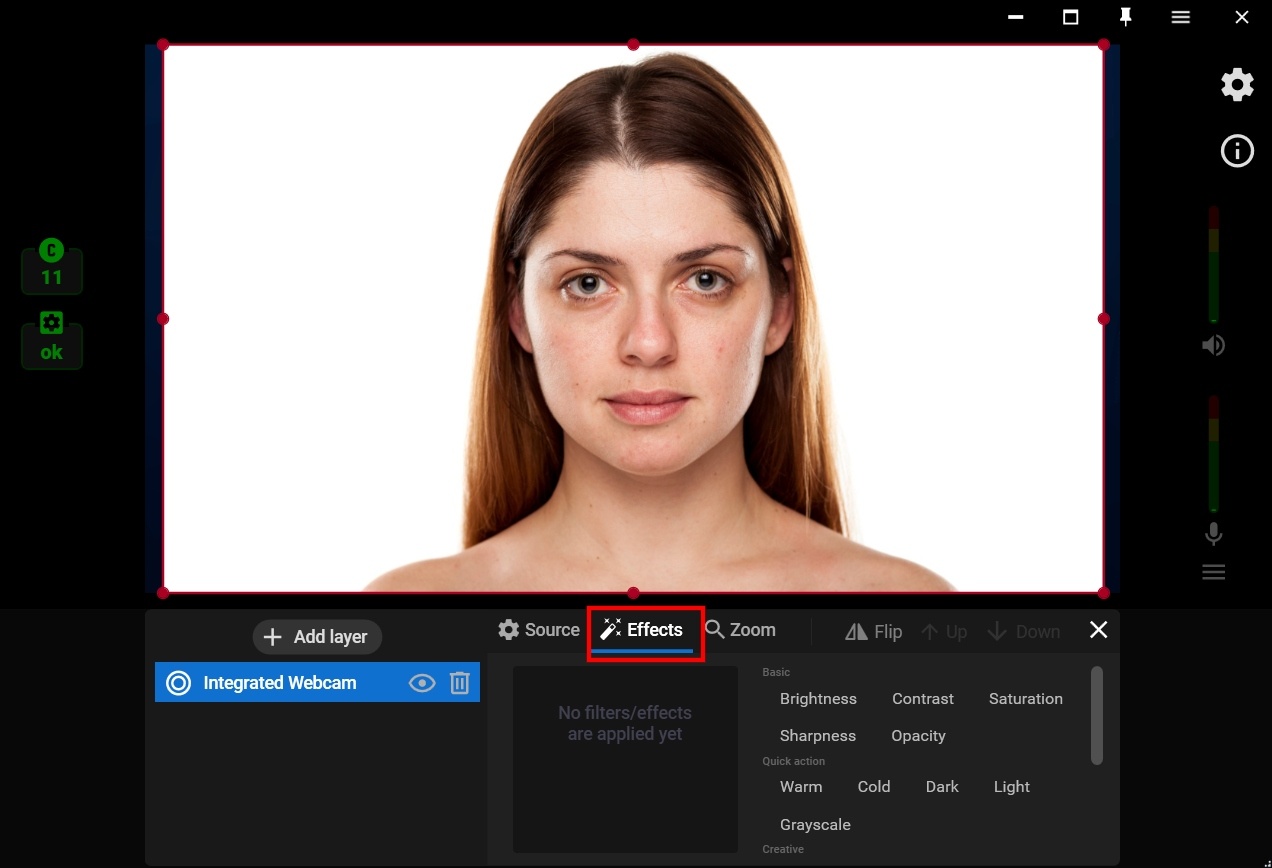
Step 3. Click on the “Effects” tab.
Step 4. Select the “Pastel” filter from the list of Creative video filters.
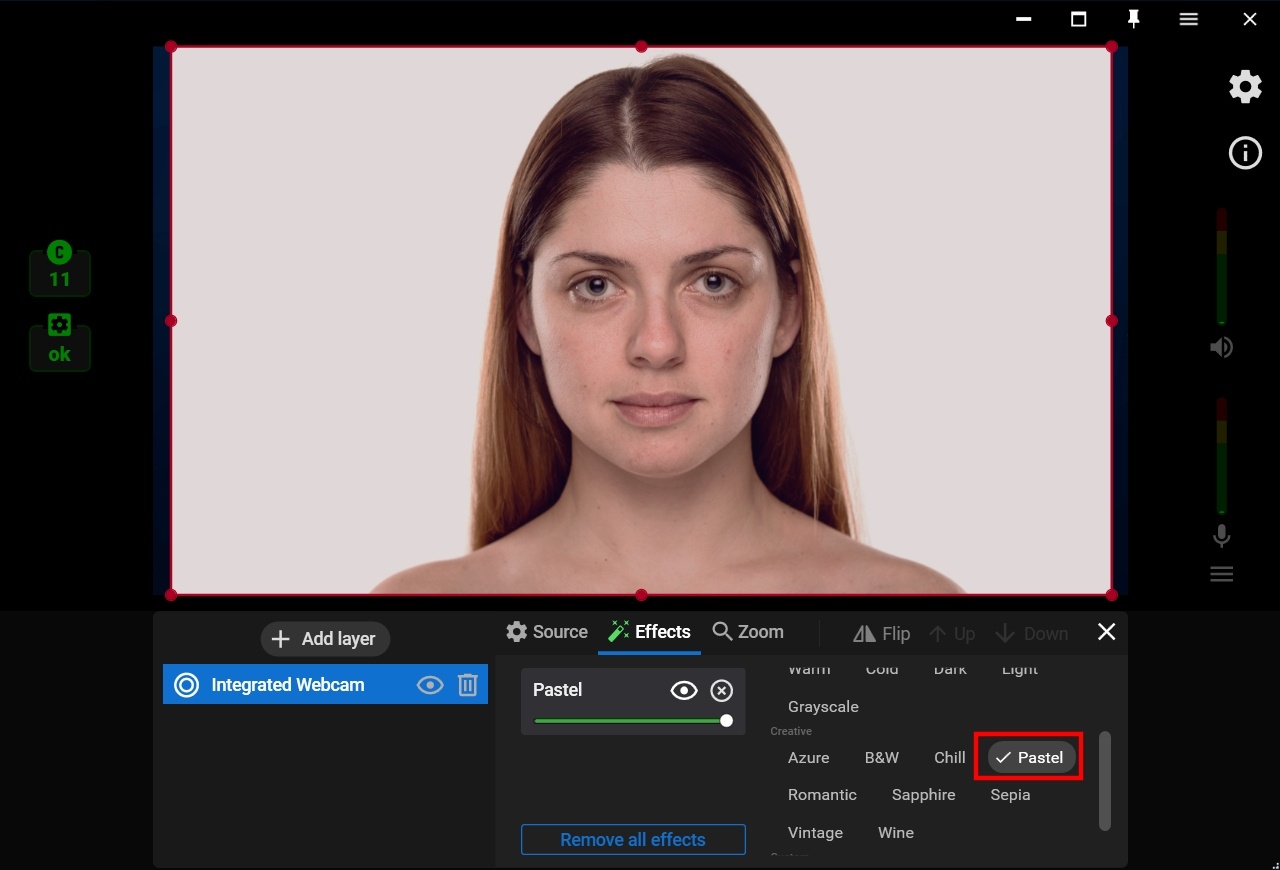
Step 5. Select the “Pastel” filter from the list of Creative video filters.